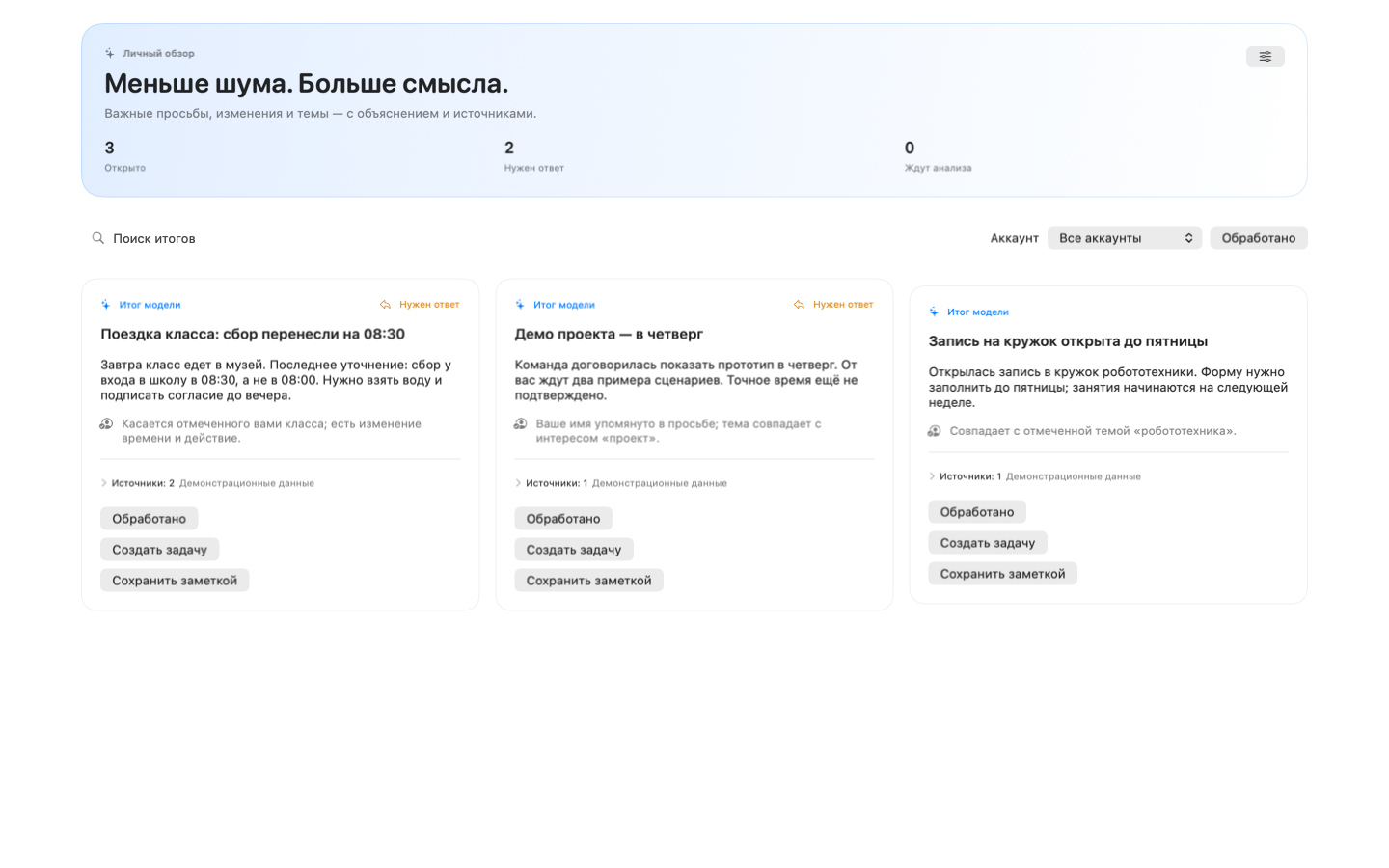
Important to me
Set names, interests and watched chats for your personal dashboard. Related group updates from the same verified author merge with source links; other authors stay separate. Automatic translation has its own switch.
 tellwickcalm work
Recording · transcription · translation · notes
tellwick turns calls and spoken thoughts into clear notes, and work messages into suggested tasks and events. Everything stays connected to its source, and no reply is ever sent automatically.
tellwickMovamos el lanzamiento al viernes y revisemos las cifras mañana.
Let’s move the release to Friday and review the numbers tomorrow.Prepararé el informe antes del mediodía.
I’ll prepare the report before noon.Closed TestFlight beta · iOS / iPadOS 26+
Your conversations, notes and plans — in a native mobile workspace.
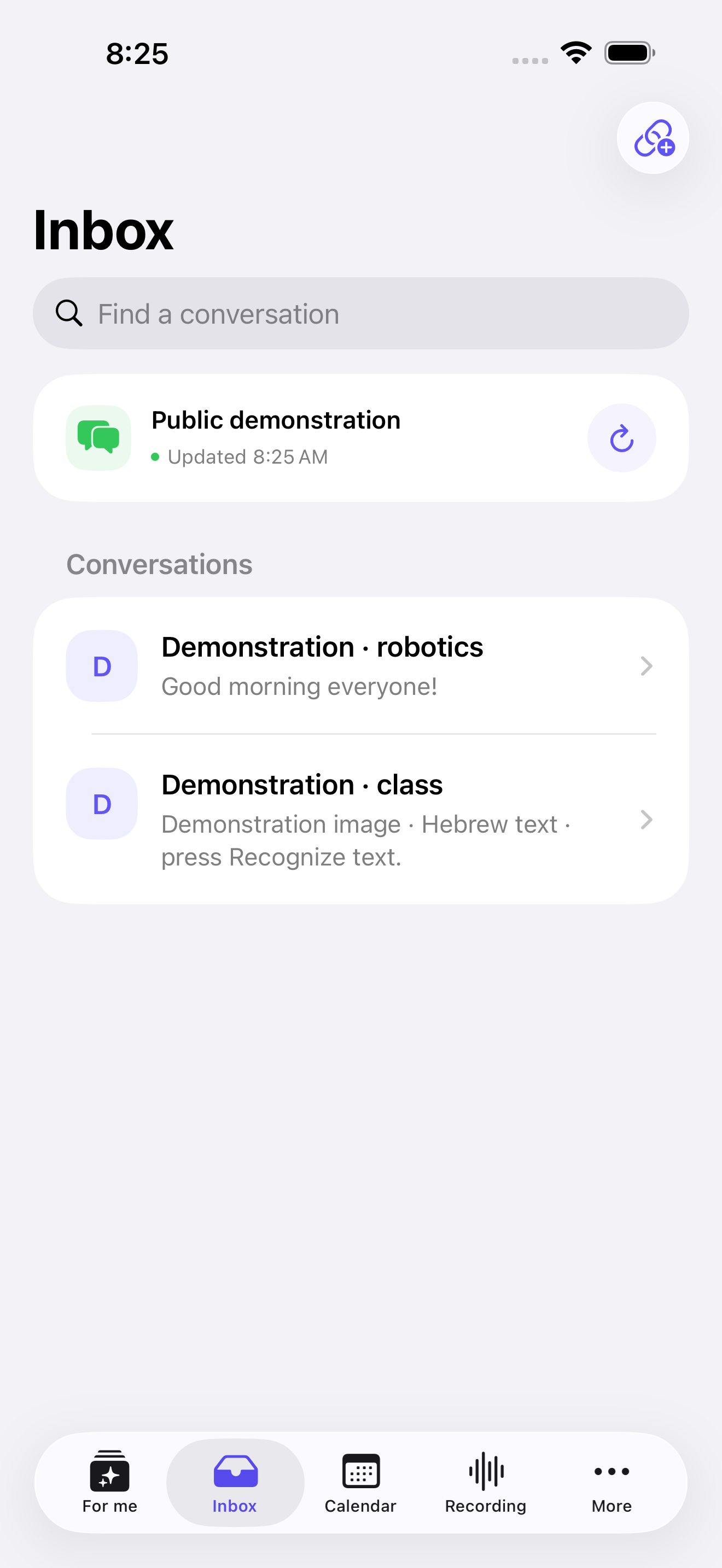
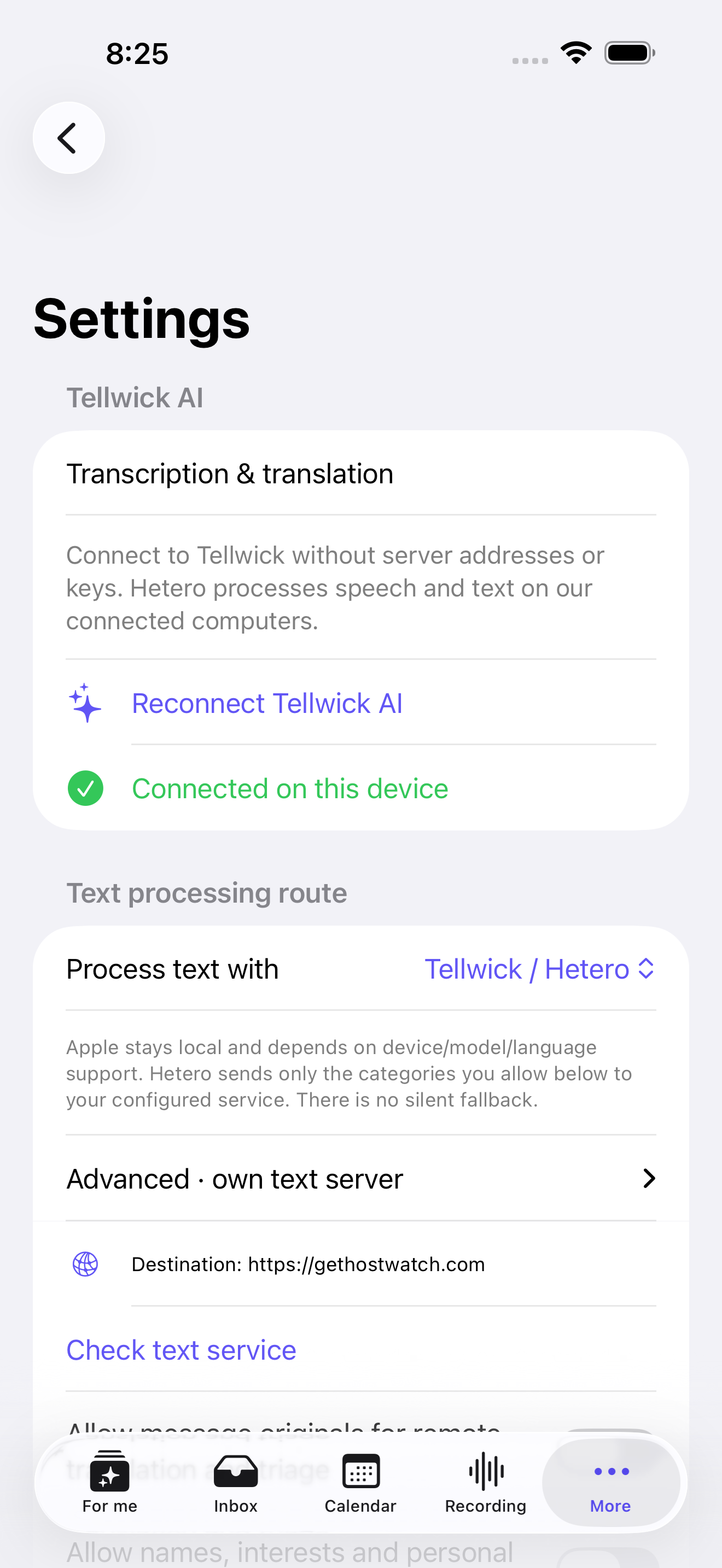
Connect WhatsApp with your phone number and a code. Connect Tellwick AI with one button: no server URL or access token to enter. Live and saved recordings use our Hetero services through Hostwatch, or supported Apple features on the device. Remote audio needs your confirmation; transcript and message translation use the permissions you choose.
Speaker colors and saved voice profiles stay local. Recognition suggestions need your confirmation. Notes keep links to the original recording moment.
Mobile Hetero models run on connected computers, not inside the iPhone download. Network access and an available worker are required. Cold starts and recognition/translation errors remain possible. Teams and Outlook are deferred.
Actual build 21 simulator screens · public demonstration data
Tellwick Notes / Native Mac beta
Closed TestFlight · free betaA Swift workspace for messages, notes, recordings, calendar events and a Kanban board. Hetero and speech / translation models are included in the app.
Apple Silicon · macOS 27 · 16 GB RAM recommended
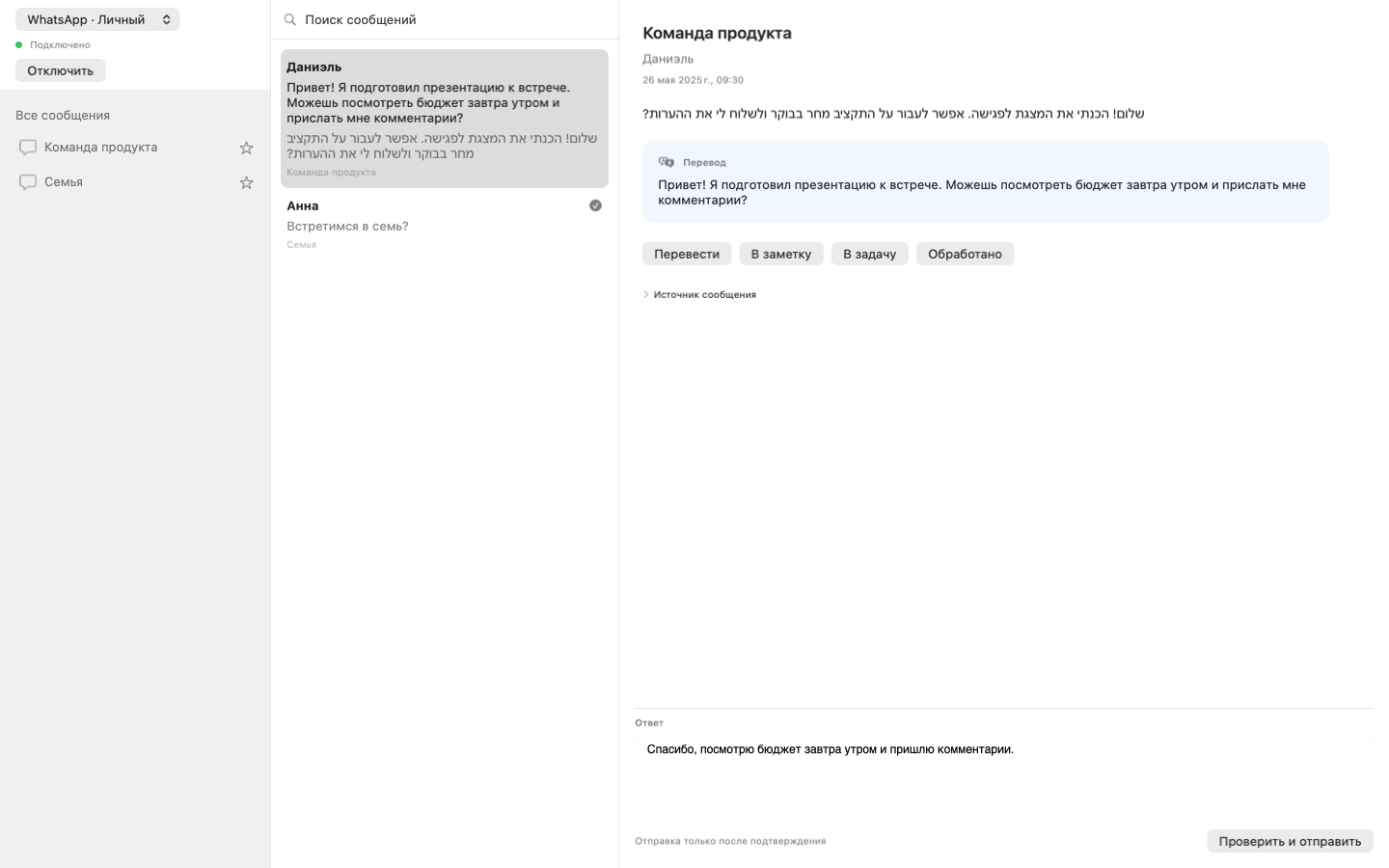
Set names, interests and watched chats for your personal dashboard. Related group updates from the same verified author merge with source links; other authors stay separate. Automatic translation has its own switch.
Optional Go service, phone pairing, history and image previews. Replies require your confirmation.
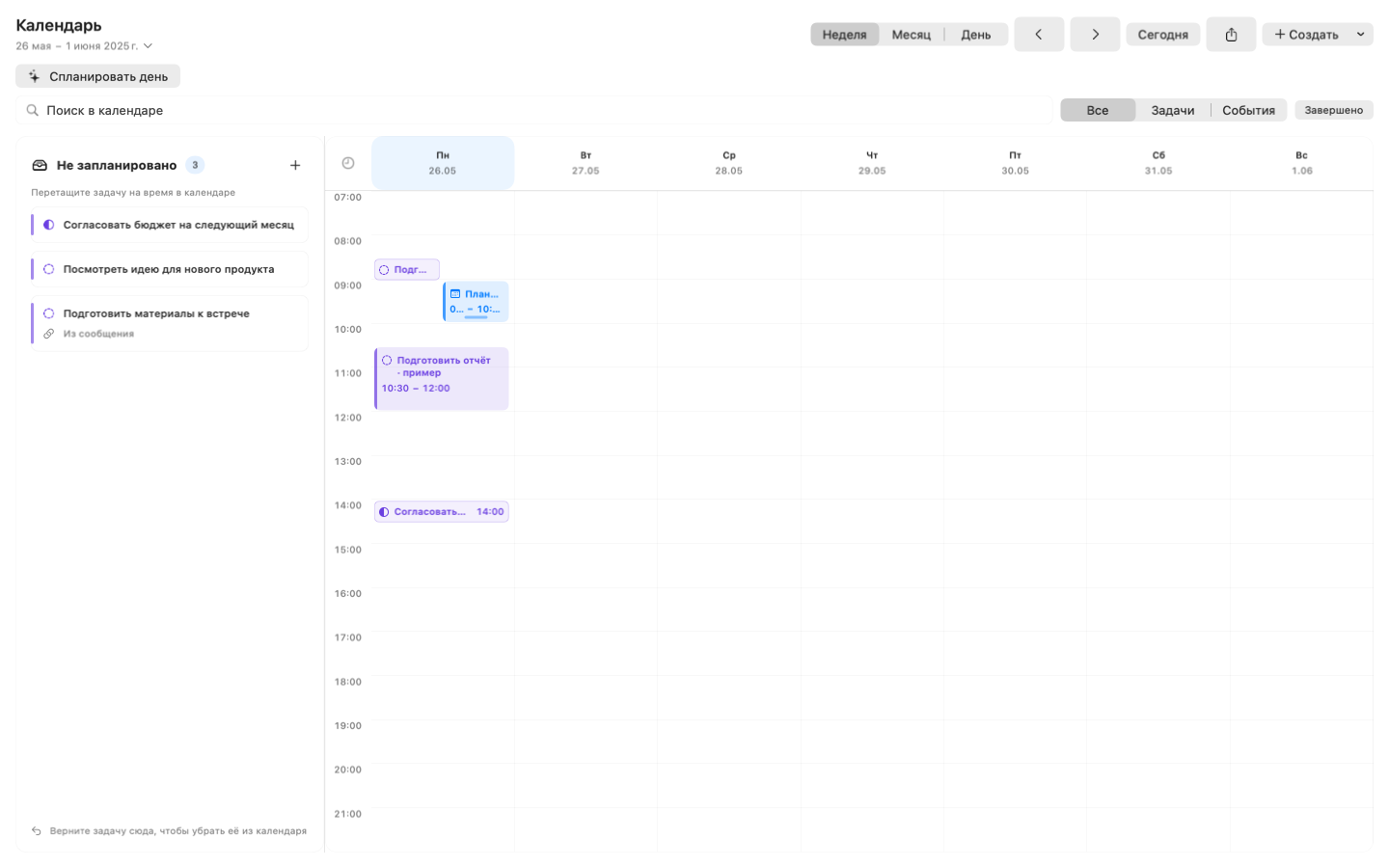
Month and week views, tags and archive. Review day plans and editable task steps before saving. Set block duration separately from the deadline; moving or unscheduling a block preserves the deadline. ICS import / export.
Local OCR includes Hebrew, English, Russian, Ukrainian and Arabic models. Recognize, copy or translate selected image text; opening a preview does not run OCR.
Enable a configured CLI gateway in Settings, then request extra processing of selected text. Provider cloud use and its costs are separate.
Hetero, Qwen and Whisper models run on your Mac. No separate runtime installation. Speed depends on the model and hardware.
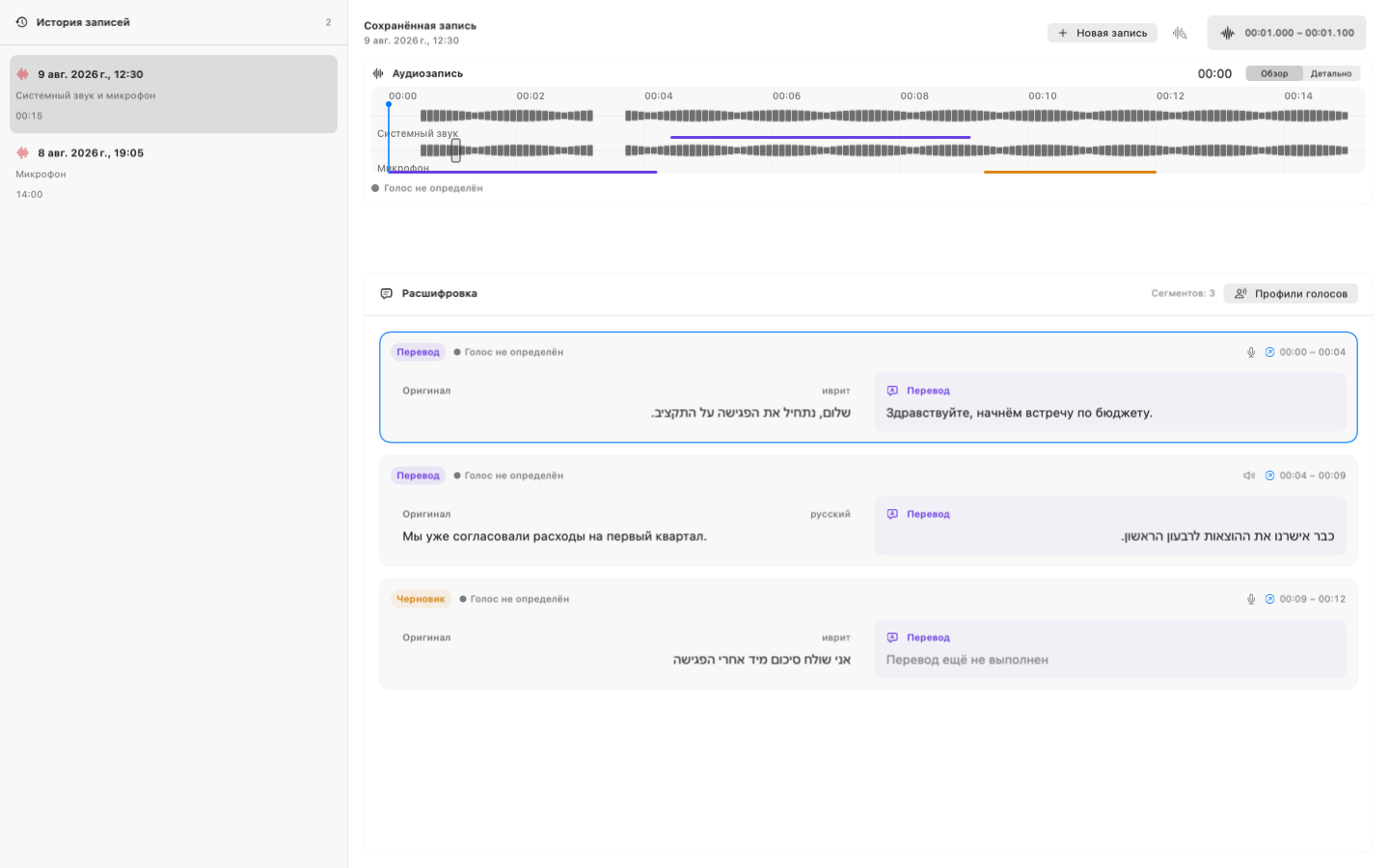
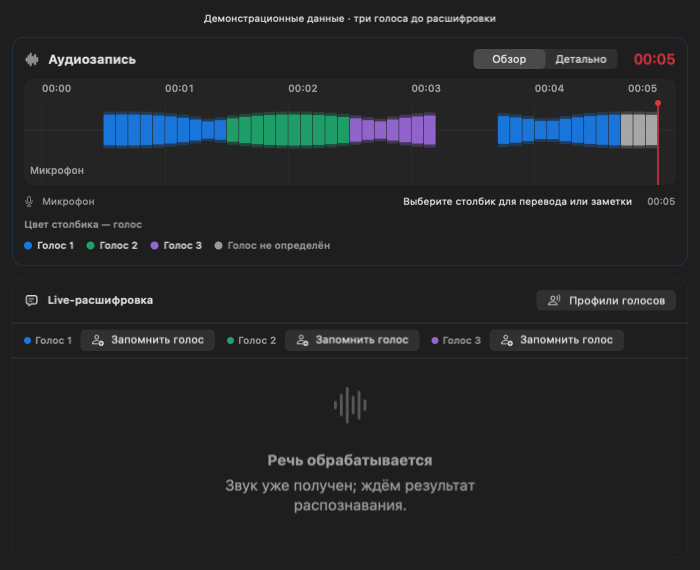
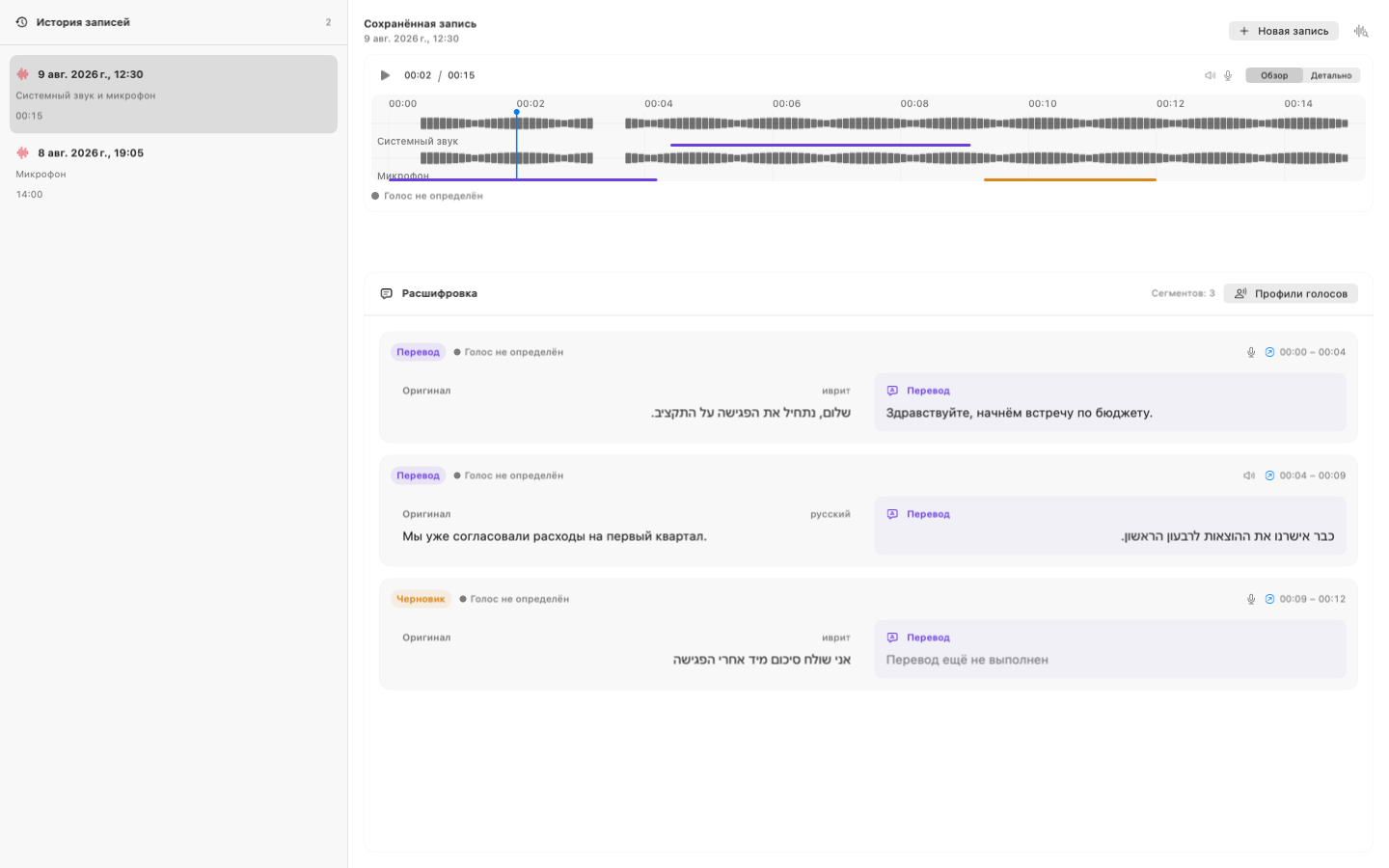
Original and translation occupy about 70% of the recording workspace. Play/pause and seeking live inside the measured histogram. Choose a column to inspect its source, exact time, original and translation. Translate that utterance again or save it as a note with a local link to the recording moment. Saved sessions have playback and processing controls; new recording has its own surface.
Speaker colors appear directly on the microphone and system-audio columns, with a shared legend. Uncertain voices stay neutral. Configure mixed speech for your main language and English inserts; keep named voice profiles locally and confirm recognition suggestions.
Teams and Outlook are in development and deferred in Swift. Web Sync and managed paid connections are planned; they are not enabled in this native beta.
WhatsApp uses your configured authenticated server, which stores its linked-device session and message history. Local notes, tasks and recordings stay on your Mac unless you select a remote AI coordinator. An enabled Codex / Claude gateway receives only the text and instruction you explicitly choose to process.
Build 16 is available to the existing internal TestFlight group and installed for verification. Playback, histogram dragging, one-utterance translation retry and the note’s exact-time return have been checked. Recognition and translation still produce errors; quality work continues.
Native UI previews · build 15 render tests, sample data; build 16 retains this layout
Electron desktop / broader channel preview
02 / Messages become organised work
tellwick keeps each source beside its translation, applies useful tags and proposes the next step. Teams and Outlook-hosted calendar events, confirmed tasks and local events share one clear timeline.
Przenieśmy spotkanie na czwartek.
Polish · translatedPlease confirm the revised budget before 15:00.
English · needs replyRelease review moved to 14:30.
Calendar updatePrzenieśmy spotkanie na czwartek.
Move the meeting to Thursday.
Move client meetingThu · 14:30 · 45 min
+Confirm the new timeDraft only · review before sending
+Review revised budgetToday · before 15:00
+Language pairs / configured by you
Choose the languages relevant to your work and let auto-detect stay inside that list. Polish to English is one option, not a special case.
01 / Turn a conversation into working material
Press Record, speak naturally and watch the transcript appear. When you stop, save it to Notes; your connected AI model can add a concise summary and next steps.
Choose your microphone, system audio or both. tellwick never starts recording on its own.
Local Whisper turns the conversation into a readable transcript, one segment at a time.
On a compatible Windows device with an OpenVINO NPU/GPU, you can enable a fast local draft; your selected AI model refines the final translation.
Save the transcript as a note when the recording ends. A connected AI model can add a summary, decisions, tasks and open questions.
If you choose to keep it, audio stays locally beside the note. Select a line to jump to that moment in the recording.
Dictate an idea, explanation or story. tellwick saves the transcript as a note, and a connected AI model can shape it into a clear structure.
An honest note on speed. Live translation depends on your processor, NPU/GPU and selected model. Transcription runs locally; the final translation and AI summary may use the provider you configure.
A look inside
Representative desktop screens with sample data — live speech, the inbox and the work that continues afterwards.
אנחנו מעבירים את ההשקה ליום שישי.
We’re moving the launch to Friday.
את מוכנה עם הדוח לפגישה?
Are you ready with the report for the meeting?
Prepararé el resumen antes del mediodía.
I’ll prepare the summary before noon.
Client asks to move the demo to Thursday and confirm the budget.
WhatsApp · voice message · translatedSummary · 3 decisions · audio linked
Export calendar · .icsExport notes · .enexMartaconfirmed
✓Speaker 2name suggested
✓03 / It does not matter where an idea starts
tellwick brings speech and messages into one work context. You can always return to the original line or message and verify an AI suggestion.
tellwickextracts meaning and keeps the sourceExplains the point and what needs your attention in a few clear lines.
A note, task, meeting or draft appears as a choice, never a command.
No reply is sent automatically, and every AI result can be checked against its source.
04 / Work continues after the conversation
Results from conversations and messages land where they are easiest to act on.
A short daily plan built from the promises, meetings and tasks that truly need attention.
3 tasks · 1 meetingThe key meaning, translation and suggested next step, right beside the source message.
Everything important reviewedEvents found in messages reach your calendar only after you confirm them.
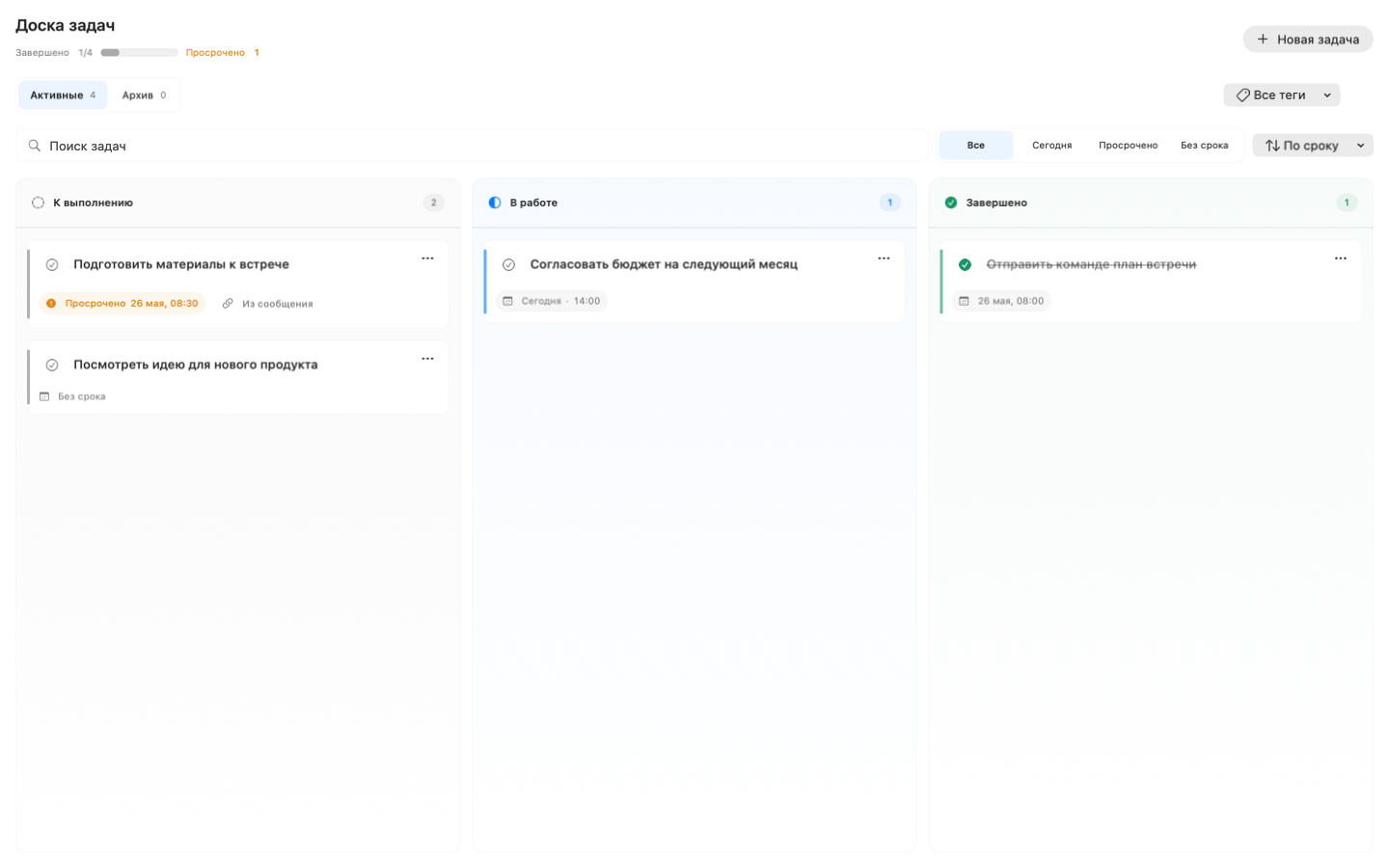
Needs confirmation · 1Tasks keep their context, due date and clear status from the first agreement to the result.
In progress · 4Conversation summaries, dictated thoughts, transcripts and saved audio in one library.
12 notesRemember recurring voices locally, confirm their names and review suggested matches in later recordings.
3 voices confirmedRecord, transcribe, distinguish speakers, translate and shape a meeting note while context is fresh.
Local · in progressYour data, your rules
Choose whether to keep recordings. Native live transcription uses temporary local audio until processing finishes; interrupted jobs can be retried or finished without transcription. Messenger sessions, passwords and AI keys are never uploaded to the web workspace.
05 / Start locally
Sync payments are not enabled during the closed beta.
Free
The core app runs on your computer without a cloud account.
Sync
or $48 per year
Connect
or $79.99 per year
Start with a conversation, a spoken thought or a work thread, with no cloud account required.